AutoPod Alternatives for Premiere Pro Podcast Editing
Looking for an AutoPod alternative? Here's an honest breakdown of the options — what they cost, how they compare, and how to pick the right one for your workflow.
April 11, 2026. 8 min read
AutoPod was one of the first tools to automate multicam podcast editing in Premiere Pro. It’s still one of the most recognized names in the space, and for a lot of editors, it does exactly what they need.
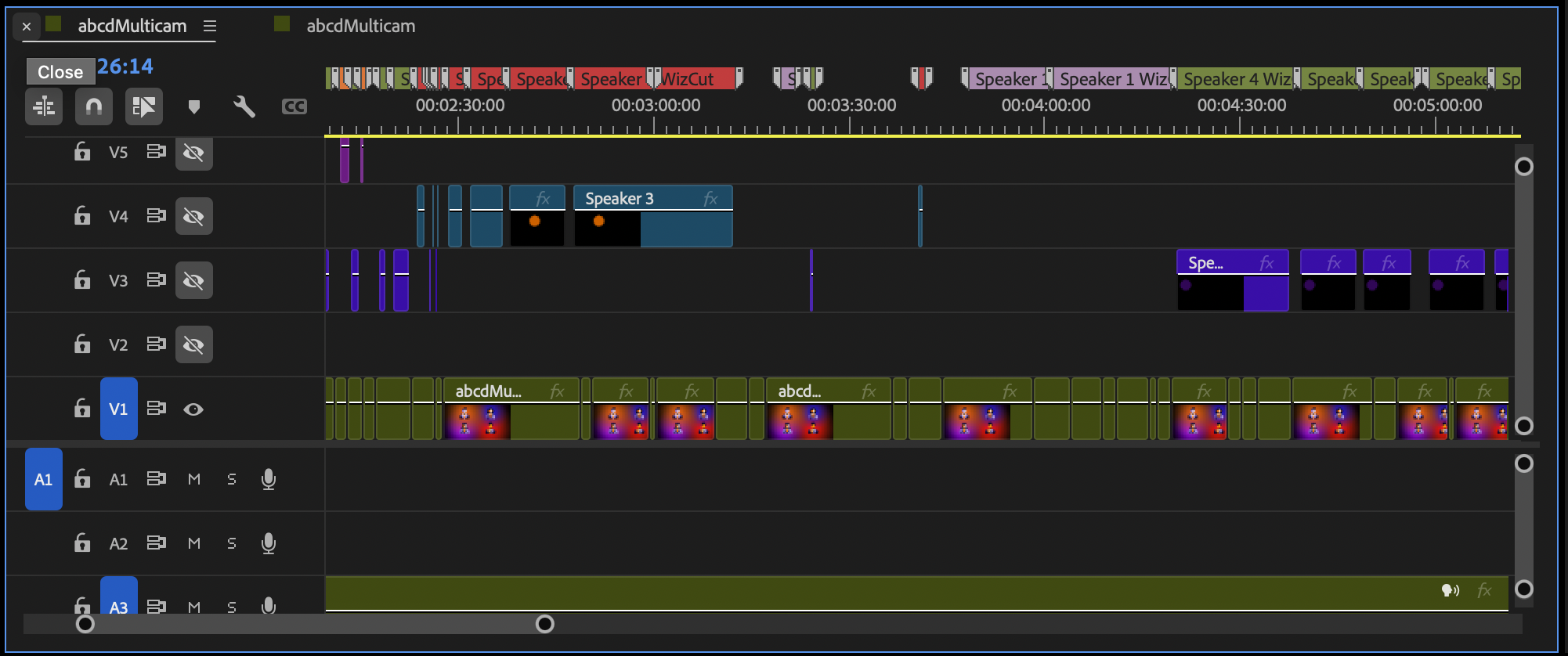
A multicam edit in Premiere Pro — the kind of timeline these tools produce automatically.
But if you’re reading this, something is pushing you to look elsewhere. Maybe it’s the $29/month subscription that keeps adding up. Maybe the camera switching isn’t as accurate as you’d like. Maybe you just want to know what else is out there.
Full disclosure before we get into it: we build one of the alternatives covered below (WizCut). We’ll be upfront about where it’s a better pick and where it isn’t. For another angle on this category, see our full comparison of AI podcast editing plugins for Premiere Pro.
Why people look for AutoPod alternatives
In our experience, the search usually comes down to three things:
Subscription fatigue. AutoPod is $29/month with no lifetime option. Over two years, that’s nearly $700 for a single editing tool. For indie podcasters and small teams, that adds up fast — especially when some alternatives offer one-time purchases.
Accuracy with imperfect audio. AutoPod uses loudness-based switching: whichever microphone is loudest at a given moment wins the camera cut. That works great when every speaker has a perfectly isolated lav mic. It works less well when there’s audio bleed between mics, overlapping speech, or laughter from an off-camera guest triggering the wrong camera.
Wanting more features, or fewer. Some editors want more than AutoPod offers — captions, zoom cuts, filler word removal. Others want less — they don’t need the social clip tool and wish they weren’t paying for it.
If none of these apply to you, AutoPod is a solid, established tool and you probably don’t need to switch. If any of them do, here are your options.
The alternatives at a glance
| Tool | Pricing | Key difference from AutoPod |
|---|---|---|
| Phantom Wraith | $118 one-time | Cheapest no-subscription option, granular controls |
| WizCut | $14/mo, $129/yr, or $119 lifetime | AI-based detection, native Premiere multicam, single audio track support |
| Cutback | Free–$30/mo | Free tier, works with unseparated audio |
| AutoCut | $19.80/mo | Full AI suite (captions, silence removal, zoom cuts) for less than AutoPod |
Let’s look at each one and when it makes sense.
Phantom Wraith — the cheapest one-time option
phantomeditor.video/products/Wraith
If subscription fatigue is your main reason for leaving AutoPod, Wraith is the most direct answer. It’s a one-time $118 purchase — no monthly fees, no renewals. It supports up to 8 cameras and 8 speakers, with granular controls for timing, sensitivity, and frame offset that AutoPod doesn’t offer.
How it compares to AutoPod:
- One-time purchase instead of a subscription — no ongoing cost
- More granular manual controls over timing, sensitivity, and frame offset
- Solid reputation and reviews
Trade-offs to know about:
- Also uses loudness-based switching — same accuracy issues with audio bleed
- Requires separate audio tracks per speaker (Phantom explicitly states single mixed tracks aren’t supported)
- Doesn’t use Premiere Pro’s native multicam source sequences — creates regular cuts instead
- No DaVinci Resolve support
Pick Wraith if: You’re happy with AutoPod’s approach but hate the subscription, and your audio is cleanly separated per speaker.
WizCut — AI detection and native multicam
This is us. We built WizCut with a different technical approach than most tools in this space — AI-based speaker detection and output that slots into Premiere Pro’s native multicam workflow.
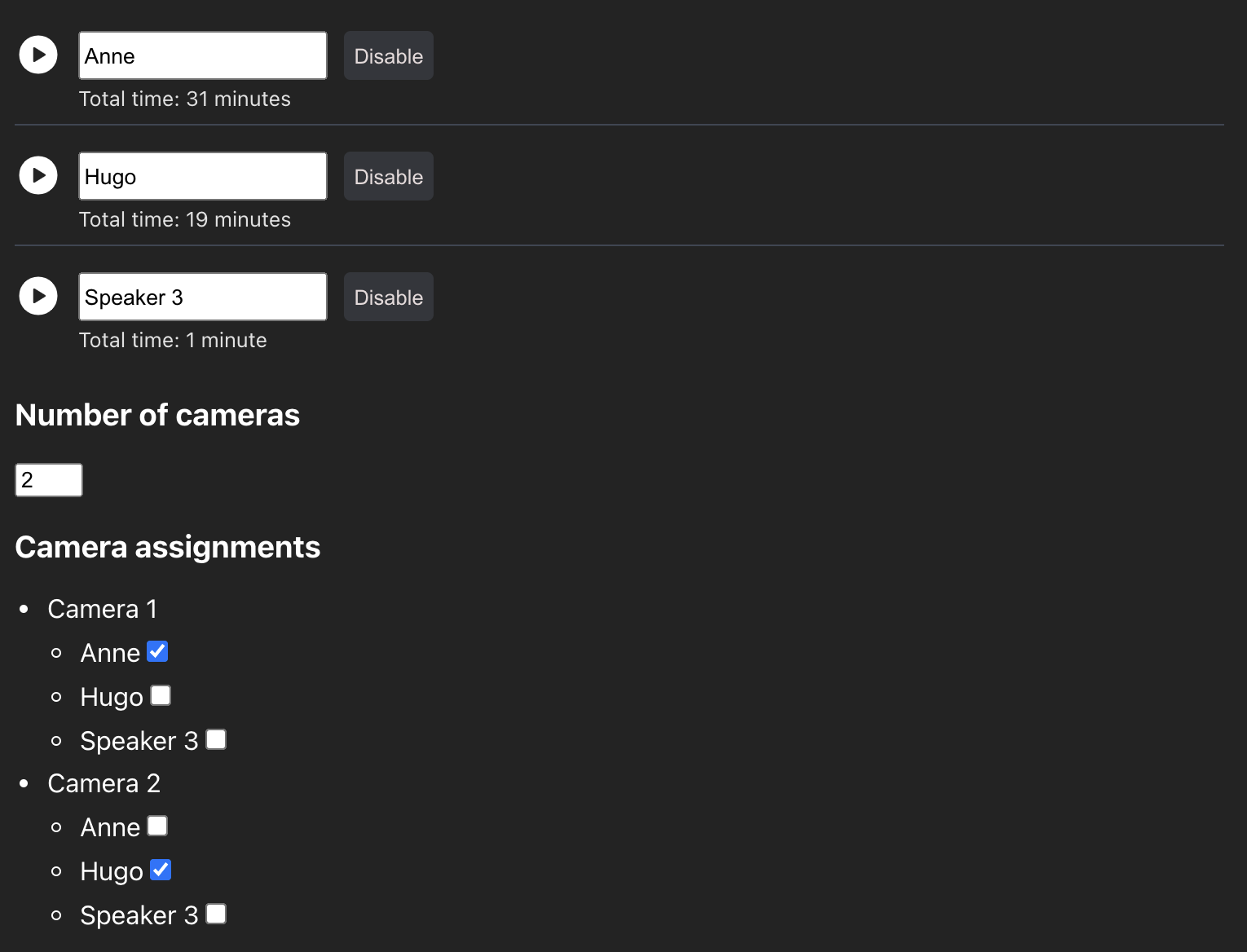
Where it’s different from AutoPod:
- AI-based speaker detection, not loudness-based. Instead of switching to whichever mic is loudest, WizCut uses speech recognition to identify individual voices. This helps in situations with audio bleed, crosstalk, or overlapping speech, where loudness-based approaches can get confused about who’s actually talking.
- Works with a single audio track. If your recording has one mixed track instead of separate mics per speaker, WizCut can still detect who’s talking.
- Native Premiere multicam output. WizCut creates real multicam source sequences. You can switch angles in the program monitor, flatten the sequence, or keep editing with Premiere’s native multicam tools after the AI does its pass.
- Lifetime option. $119 one-time, alongside the $14/month and $129/year plans.
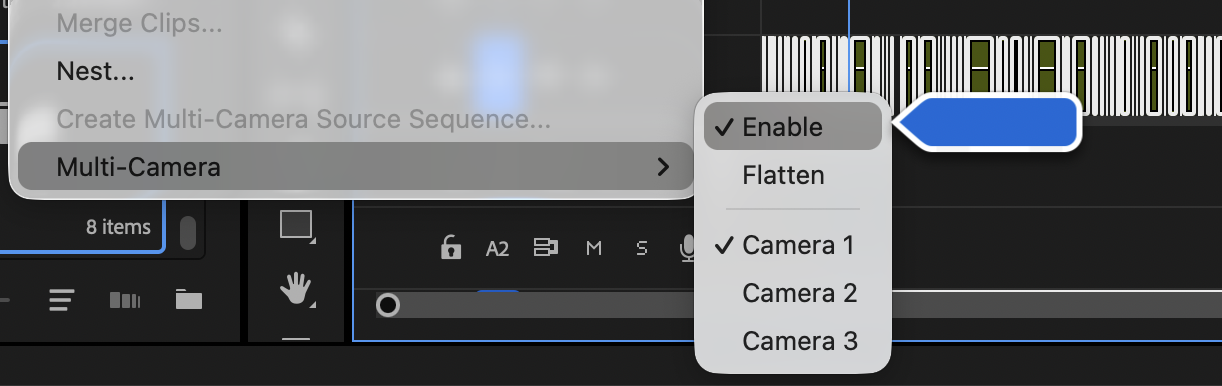
The result works with Premiere’s standard Multi-Camera menu — click a different angle at any point to override an AI cut.
Where AutoPod is still ahead:
- AutoPod is more established, with more reviews and a longer track record
- AutoPod includes social clip creation in the same subscription — WizCut doesn’t offer that (yet)
- AutoPod supports DaVinci Resolve; WizCut is Premiere Pro only
Pick WizCut if: You want accurate detection with imperfect audio, you work with single-track recordings, or you want the result to integrate naturally with Premiere’s multicam workflow. Silence removal is covered too: both the web app and the Premiere extension tighten long pauses before switching cameras, so the cuts land on the tightened conversation. And if you don’t use Premiere at all, WizCut also has a web version that handles the full pipeline — upload, cut, render — right in the browser.
Cutback — the free tier option
Cutback is an official Adobe Video Partner with a genuinely useful free tier. If budget is the main concern and you don’t need to process a ton of episodes, you can try multicam automation without paying anything.
How it compares to AutoPod:
- Free plan with usable limits
- Significantly cheaper paid plans ($15/month for multicam, vs AutoPod’s $29)
- Broad feature set including captions, translation, and background removal
Trade-offs to know about:
- Also uses loudness-based detection
- Free and cheap plans limit you to 3 cameras; you need the $35/month Pro plan for more
- Premiere Pro only (no DaVinci)
- Doesn’t use native Premiere multicam
Pick Cutback if: You want to try automation without paying, or you want the cheapest long-term subscription with a broad feature set.
AutoCut — the full suite at a lower price
If you liked the idea of AutoPod bundling multiple tools into one subscription but wish it cost less, AutoCut does roughly the same thing cheaper. The AI Plan at $19.80/month (or $14.90 billed annually) includes podcast multicam, silence removal, filler word detection, captions, zoom cuts, and 10+ other AI editing tools.
How it compares to AutoPod:
- Significantly cheaper ($14.90/month annually vs $29/month)
- More tools bundled in — captions, filler words, zoom cuts, translation
- DaVinci Resolve support
Trade-offs to know about:
- Still a subscription, no lifetime option
- Loudness-based multicam switching
- Multicam is one feature among many, not the primary focus
Pick AutoCut if: You want a broader toolset than AutoPod offers, at a lower price.
How to pick
There’s no universal “best AutoPod alternative” — it depends on what’s actually frustrating you.
You’re tired of the subscription: WizCut ($119 lifetime) and Phantom Wraith ($118 one-time) are the cheapest options. WizCut adds AI detection and native multicam.
The camera switching isn’t accurate enough for your audio: WizCut’s AI-based detection is designed for situations with audio bleed or overlapping speech. It also works with single mixed audio tracks, which is unusual in this category.
You want a broader toolset at a lower price: AutoCut gives you 10+ tools for less than AutoPod.
Budget is the main constraint: Cutback’s free tier lets you test the concept without spending anything.
You use DaVinci Resolve: AutoCut is your best option. WizCut, Wraith, and Cutback are Premiere Pro only.
When AutoPod is still the right choice
To be fair to AutoPod: if you have perfectly isolated audio tracks per speaker, you don’t mind the subscription cost, and you want social clip creation bundled in, AutoPod is a well-built tool with a long track record. It’s still the most established option in the category.
The reason to switch isn’t that AutoPod is bad. It’s that the field has grown, and there are now alternatives that match or beat it in specific ways — lifetime pricing, AI-based detection, native multicam integration, or broader feature sets at lower prices.
Try WizCut
If you’re leaving AutoPod because of accuracy issues with your audio, or because you want native Premiere multicam output, WizCut has a free trial. Set up your multicam sequence, map your speakers, and run the detection on a real episode. You’ll see the difference AI-based detection makes on your actual footage within a few minutes. New to multicam in Premiere? Our step-by-step multicam editing guide walks through the full workflow. Want to try pause tightening first without committing to anything? Our free podcast silence remover runs entirely in the browser — no signup, nothing uploaded. And if you’re comparing us to Descript specifically, we wrote a detailed breakdown of Descript vs Premiere Pro for multicam podcasts.