Best Podcast Audiogram Makers: Free and Paid Options Compared
An honest comparison of Headliner, Wavve, Descript, and other audiogram tools—plus a free option that runs entirely in your browser.
February 15, 2026. 8 min read
Audiograms are one of those things that sound fancier than they actually are.
They’re just animated waveforms paired with audio—basically a video version of your podcast that’s perfect for social media. You know, the kind of clip you see on Instagram or LinkedIn where someone’s voice plays over a waveform that bounces along with the audio.
They work because they turn audio (which is hard to scroll past on a feed) into something visual that catches the eye. And they’re easier to make than full video clips. If you want the strategy side — what to clip, how to size for each platform, and what actually gets engagement — see our audiogram creation guide.
But which tool should you use? There are dozens of audiogram makers out there, and they all claim to be the best. Let’s look at what’s actually available and when each option makes sense.
Why Audiograms Matter for Podcast Marketing
Before we dive into tools, here’s why you’d even bother making these.
Social media platforms prioritize video content. An audio file alone won’t get much reach on Instagram, Twitter, or LinkedIn. But an audiogram—even though it’s technically just audio with a moving waveform—gets treated like video content by the algorithm.
That means more visibility for your podcast clips.
Audiograms are also quick to make. You don’t need to coordinate filming or worry about lighting and camera angles. Pull a highlight from your podcast, drop it into an audiogram tool, and you’ve got shareable content.
The trick is finding a tool that doesn’t slow you down or cost a fortune.
The Popular Options: What They Do Well (and What They Don’t)
Headliner
Headliner is probably the most well-known audiogram tool.
It’s cloud-based, has a solid free tier, and includes templates for different social platforms. You upload your audio, pick a template, customize the colors and text, and download your video.
The free plan lets you create audiograms with a small Headliner watermark in the corner. If you want to remove the watermark, you’ll need to upgrade to a paid plan (starts around $10/month).
What’s good: Easy to use, lots of templates, automatic transcription available on paid plans.
What’s not: Watermark on free tier, processing happens in the cloud (so you’re uploading and waiting), file size limits on free accounts.
Best for: Podcasters who want polished, template-based audiograms and don’t mind paying to remove the watermark.
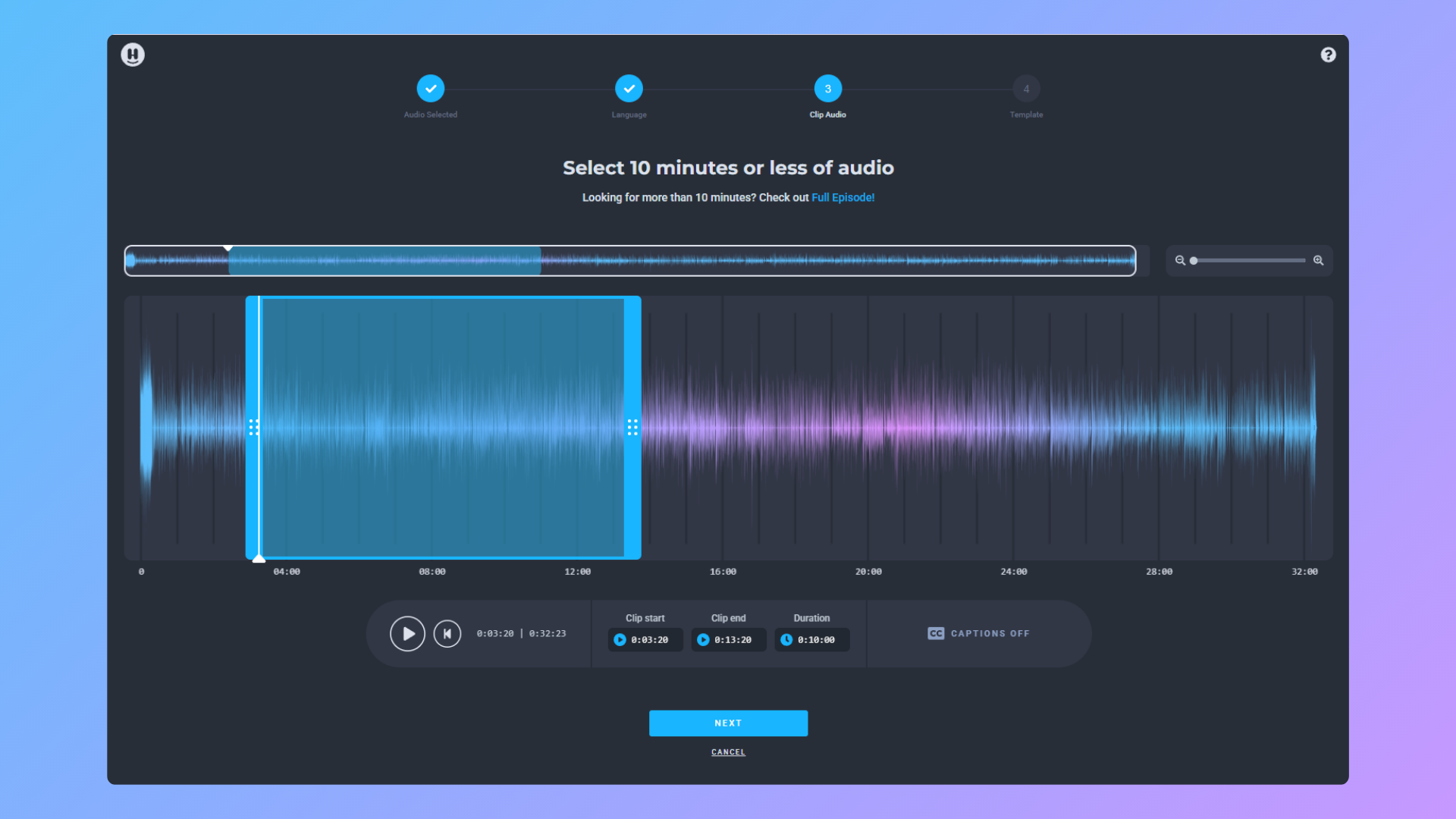
Wavve
Wavve is similar to Headliner but skips the free tier entirely.
It’s a subscription service (starts around $20/month) that focuses on audiogram creation. The interface is clean, the templates are well-designed, and it includes features like progress bars and animated text overlays.
What’s good: Professional-looking templates, good text customization, built-in social media optimization.
What’s not: No free option, monthly cost adds up if you’re just starting out.
Best for: Established podcasters who create audiograms regularly and want premium templates without watermarks.
Descript
Descript isn’t just an audiogram tool—it’s a full audio and video editing suite.
You can edit podcasts by editing the transcript, remove filler words automatically, and yes, create audiograms. The audiogram feature is solid, but it’s really just one small part of a much larger (and more expensive) tool.
Plans start at $12/month for the Creator plan, but you’ll likely need the Pro plan ($24/month) for regular use.
What’s good: Powerful editing features, great for podcasters who need more than just audiograms, transcript-based editing is genuinely innovative.
What’s not: Expensive if you only need audiograms, learning curve for the full feature set.
Best for: Podcasters who want an all-in-one editing and audiogram solution and are willing to pay for it.
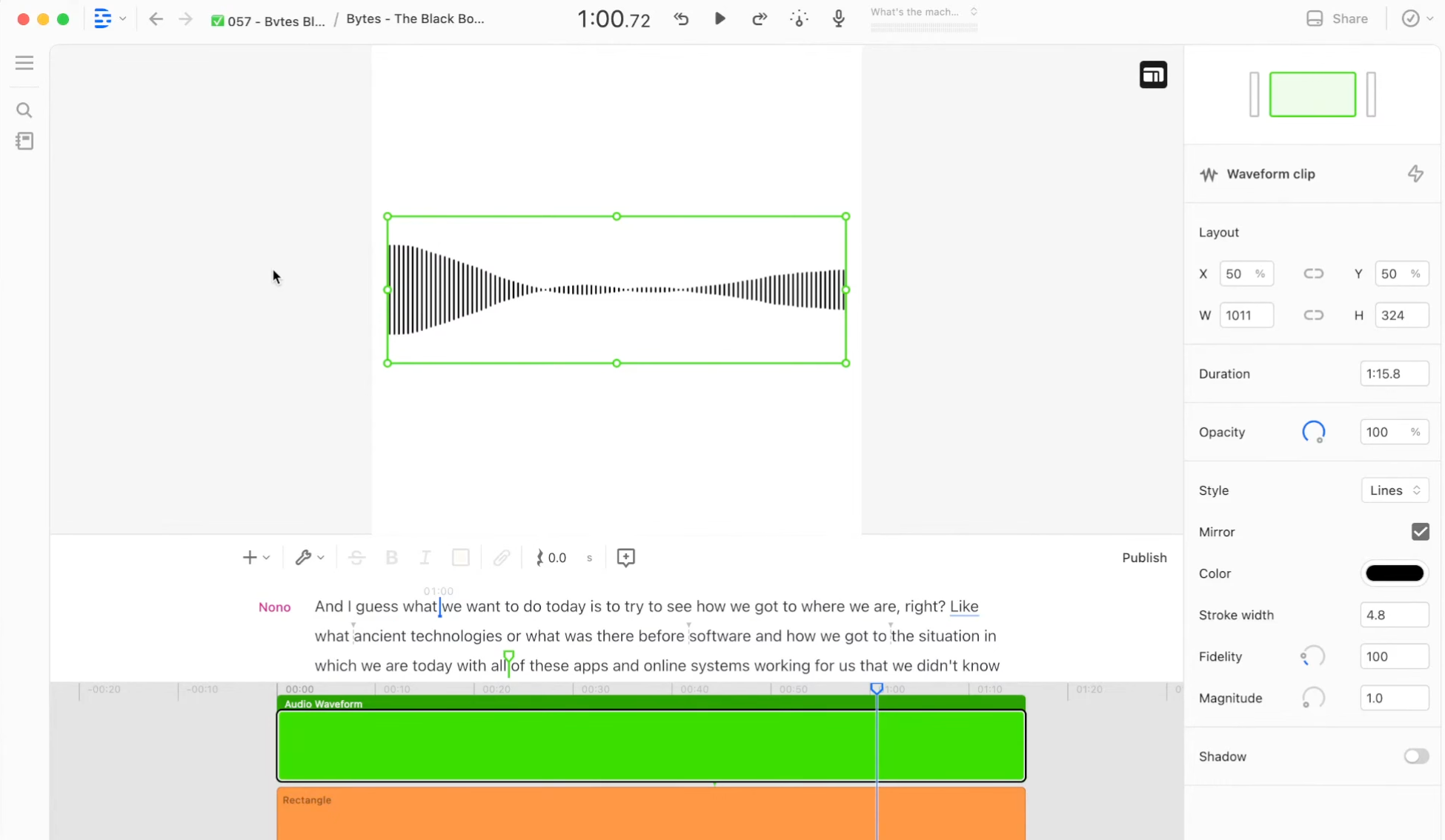
VEED
VEED is a browser-based video editor that happens to include audiogram features.
It’s more of a general-purpose video tool than a podcast-specific platform. You can create audiograms using their templates, but you’ll also find tools for subtitles, screen recording, and more.
The free plan has limits on video length and includes a watermark. Paid plans start around $18/month.
What’s good: Versatile tool beyond just audiograms, runs in the browser.
What’s not: Not podcast-specific, free tier is quite limited, watermark on free exports.
Best for: Content creators who need a multi-purpose video editor and will occasionally make audiograms.
Riverside
Riverside is primarily a podcast recording platform, but it includes clip creation features.
If you’re already recording your podcast with Riverside, you can create audiogram-style clips directly from your recordings. It’s convenient if you’re in the ecosystem, but it’s not a standalone audiogram tool.
Pricing starts at $15/month per user.
What’s good: Integrated with podcast recording, convenient if you’re already using Riverside.
What’s not: Expensive for just audiogram features, requires a subscription even if you only need occasional clips.
Best for: Podcasters already using Riverside for recording who want to streamline their workflow.
WizCut Audiogram Maker
This is our tool, so take this section with appropriate skepticism.
The WizCut Audiogram Maker is completely free and runs entirely in your browser. You don’t create an account, you don’t upload files to a server, and there’s no watermark on your exports.
Upload an audio file, choose your aspect ratio (square, vertical, or horizontal), customize the waveform colors and background, add captions with automatic transcription, and download the video. All the processing happens on your device—nothing gets sent to a server.
No file size limits. No export limits. No upload queue. Just drag, customize, and download.
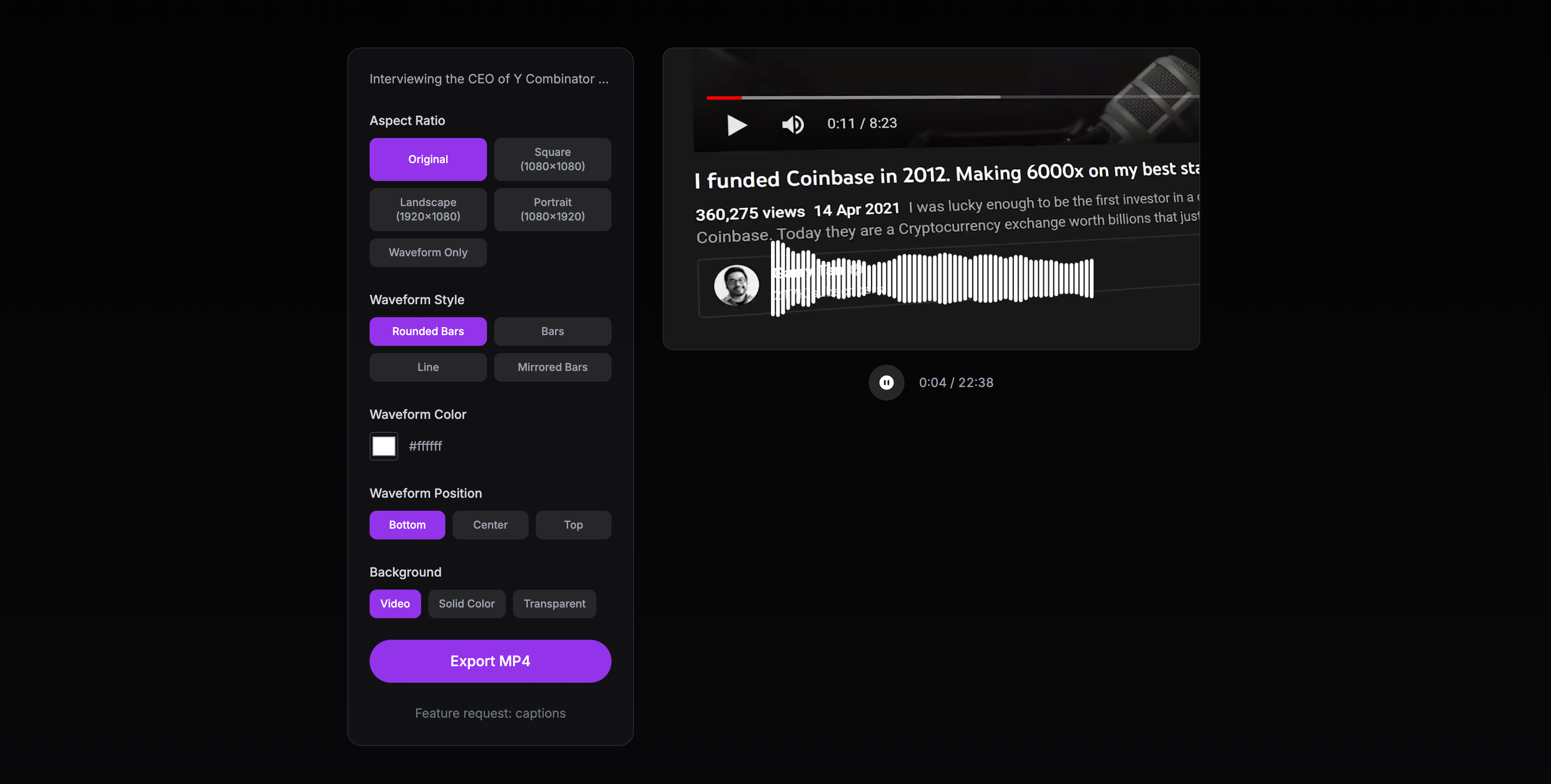
What’s good: Completely free, no watermark, no signup, no file size limits, privacy-focused (all processing happens locally), fast, includes automatic captions with speaker detection.
What’s not: Simpler than competitors—no fancy templates or elaborate design options.
Best for: Podcasters who want a straightforward, free audiogram tool with captions—without watermarks or subscriptions.
Feature Comparison
Here’s a quick table to compare the main features:
| Tool | Price | Watermark | File Limits | Text Overlays | Templates | Processing |
|---|---|---|---|---|---|---|
| Headliner | Free + Paid ($10/mo) | Yes (free tier) | Yes (free tier) | Yes | Many | Cloud |
| Wavve | $20/mo+ | No | No | Yes | Many | Cloud |
| Descript | $12–24/mo | No | No | Yes | Limited | Cloud |
| VEED | Free + Paid ($18/mo) | Yes (free tier) | Yes (free tier) | Yes | Many | Browser |
| Riverside | $15/mo+ | No | No | Yes | Limited | Cloud |
| WizCut | Free | No | No | Yes (auto-generated) | No | Browser (local) |
When to Use Each Tool
Let’s be honest about when each option makes the most sense.
Use Headliner if you want a balance between free and polished. The watermark is small enough that many podcasters don’t mind it, and the templates are solid. If your podcast starts making money, upgrading to remove the watermark is reasonable.
Use Wavve if you’re serious about audiogram marketing and want professional templates without messing around with free tiers. It’s a clean tool with good results, but it’s definitely for podcasters who’ve committed to regular social media promotion.
Use Descript if you need a full editing suite and audiograms are just one part of your workflow. Don’t pay for Descript just for audiograms—that’s like buying a car to use the cup holder.
Use VEED if you need a multi-purpose video editor and want the flexibility to create different types of content beyond audiograms. It’s not the most podcast-focused tool, but it’s versatile.
Use Riverside if you’re already in the ecosystem for recording. Otherwise, it’s overkill.
Use WizCut if you want simple, free audiograms with captions—without watermarks, signups, or upload limits. It’s the most straightforward option with automatic transcription and speaker detection, and you’ll trade fancy templates for privacy and simplicity.
The Honest Take
Most of these tools are good at what they do. The question is what you actually need.
If you want templates and text overlays and don’t mind a subscription, Wavve or Headliner (paid) are solid choices. If you’re editing your podcast in Descript already, use the audiogram feature there.
But if you just need clean audiograms with captions without jumping through hoops—no signups, no watermarks, no waiting in upload queues—the WizCut Audiogram Maker does exactly that. It even generates captions automatically with speaker detection, all running locally in your browser.
It exists because free tiers that aren\u2019t really free (watermarks, export limits) and paid tools that feel like overkill for what should be simple\u2014that gap shouldn\u2019t exist.
Sometimes simple is better.
Try whichever tool fits your workflow, but don’t overthink it. The best audiogram tool is the one you’ll actually use consistently, not the one with the most features you’ll never touch.